
Reviews and comments
Ask for another pair of eyes on a whole story or one block before publishing. Comments start a conversation; a review request adds an approval requirement. Both use the same composer and preserve the story’s locale and access rules.
Set up reviewers and Teams
An administrator manages Teams under Settings → Members & roles. Choose Create team, give it a name, select its members, and set Minimum approvals. For example, a team of three with a minimum of two passes when two eligible members approve. You do not need every member’s approval.
Grant reviewers Review content in their role. Review permission is separate from Publish content: approving a request does not grant publishing access. Reviewers also need read access to the requested content. Team membership and @mentions never grant access to otherwise restricted stories, blocks or fields.
Every individually assigned reviewer must approve, and every assigned team must reach its own threshold. The requester cannot approve their own request. Teams without enough eligible reviewers cannot be selected. A request records the team membership and threshold at creation; later team edits apply to new requests.
Start a comment or request a review
- Open the story and choose Reviews & comments, or use the comment icon in a block’s heading or block-list row to target that block.
- Write your comment. Type
@to search accessible members by name or email; use the mouse or arrow keys and Enter/Tab to select one. Escape closes the suggestions without closing the dialog. - To require approval, turn on Request review. The reviewer fields appear below the message. Choose people, Teams, or both.
- Choose Post comment or Request review. Pending changes are saved before the request is created. The composer retains your text and mentions when you switch between comment and review modes.
Editors without Publish permission see Request review in the story toolbar. It opens this same composer with the review switch already on. Its message is optional; ordinary comments need text. Existing discussions remain below the composer and can be opened to read the conversation.
A mention brings a discussion into the recipient’s History & mentions view. It does not assign that person as a required reviewer. Mention suggestions remove a recipient from the message payload if you delete or edit the selected mention. Storypane does not send review email notifications in this version.
Use the Reviews inbox
Open Reviews in the sidebar:
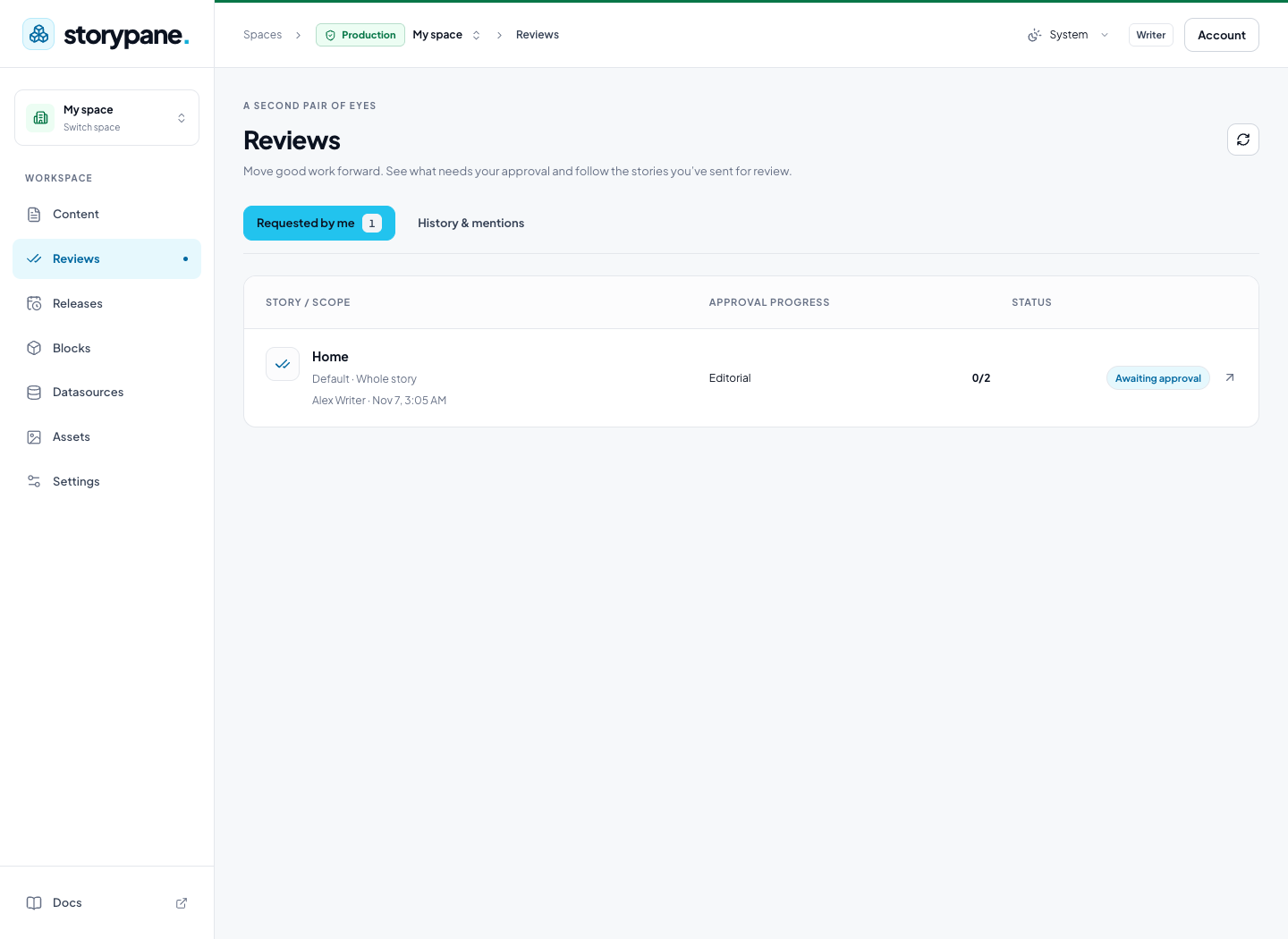
- Available to review lists requests that need your decision, including team requests you can act on. The sidebar badge counts available reviews.
- Requested by me tracks your pending requests.
- History & mentions includes past activity and discussions mentioning you.
Reviewers can Approve or Request changes, with a message explaining the requested changes. Authors and reviewers can reply and mention other eligible members. The requester can withdraw an active review. Comments can be resolved and reopened without affecting publication. The inbox refreshes periodically; use its refresh icon when you want to check immediately.
What blocks publishing
A pending review prevents publication of the content it covers until its required approvals are satisfied. A story review covers the locale’s content and structure; a block review covers that block and its nested content. Other locales are independent. Ordinary comments never block publication.
Approvals apply to the reviewed content version. Changing that content requires new approvals. Editing an unrelated block does not invalidate an unchanged block review. Approval does not publish anything: someone with Publish permission still reviews the publication changes and publishes or schedules them.
The gate is enforced on the server for immediate publishing, bulk/API publication, linked-content publication and scheduled releases. Scheduling checks the selected version, and execution checks again. A blocked release does not partially publish. An unchanged pinned release version is evaluated on its own content; later draft edits do not silently enter it. Publishing an unchanged previously live block version does not publish the unapproved changes in that block’s newer draft.
After the approved content is published, its reviews move into history. Requests, comments and approval history remain subject to the recipient’s content access. If a reviewer loses access, restore appropriate access or withdraw and create a new request with eligible reviewers; changing a Team does not rewrite an existing request’s recorded requirements.
For scheduled launches, see Content releases. For first-time editing and publication, see the editor quickstart.